Online availability is a useful feature of the online booking functionality of First Class
The online availability feature allows you to have a class capacity that is different from the actual class maximum capacity.
This allows you to reserve capacity in certain classes or levels and can be a useful tool to ensure your program flows.
The online availability feature covers 3 main areas
1.Online bookings (external booking link and portal)
2. Make up lesson bookings
3. Portal moves
How to set up online availability
Each class has its own online availability setting
For example
A specific class may have a maximum of 5 and an online capacity of 4.
This keeps 1 space protected so customers cannot book into that space via one of the above online self service capabilities.
Default (pre set) online availability
Within your level settings, you can set a pre-set or default online availability. Each level can have its own online availability default.
The advances of setting up these defaults is that when you create a new class, the class will automatically set the online availability as the default value.
If there is no default value set, the online availability will default to the classes normal maximum.
Setting online availability when creating a new class
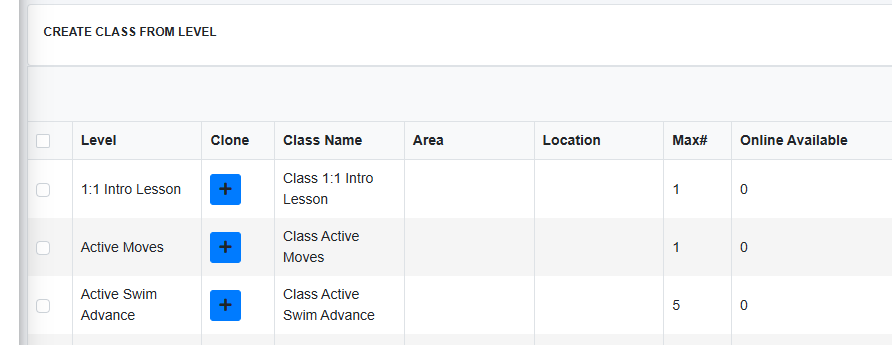
When creating a new class, you will note an online availability column in the class builder.
If you have your pre-sets set, this will be pre-filled with your default online availability for the selected level. If you wish to put a different value for the class you are building simply update the number before saving and creating the class.
Updating a classes online availability
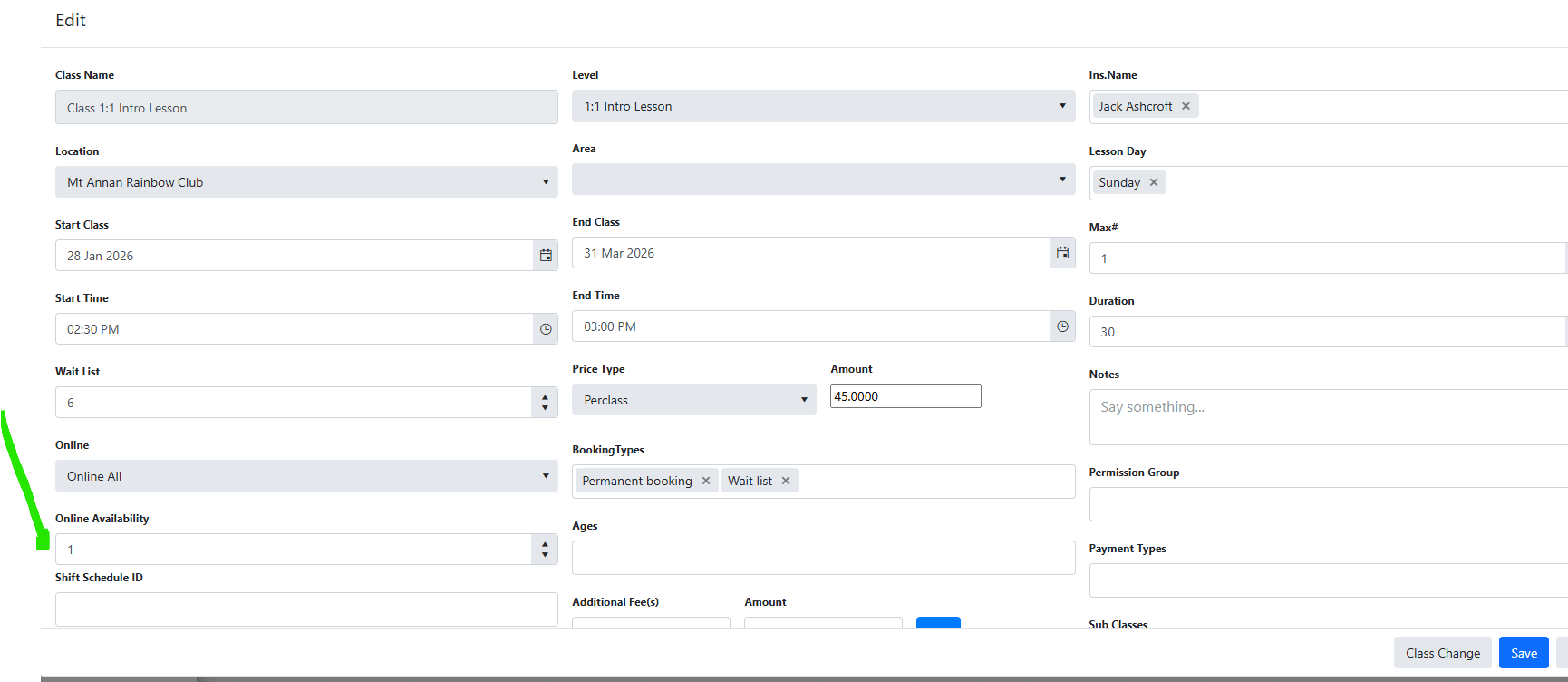
Using the edit class feature you can update online availability.
This is also available via the edit all bulk class update tool.
Was this article helpful?
That’s Great!
Thank you for your feedback
Sorry! We couldn't be helpful
Thank you for your feedback
Feedback sent
We appreciate your effort and will try to fix the article