First Class allows you to set restrictions that prevent students being booked into classes online who do not meet the classes age requirements.
The age restriction feature can be turned on via your account settings.
Go to profile----account settings and look for the tick box- Enable age restrictions (At the account level)
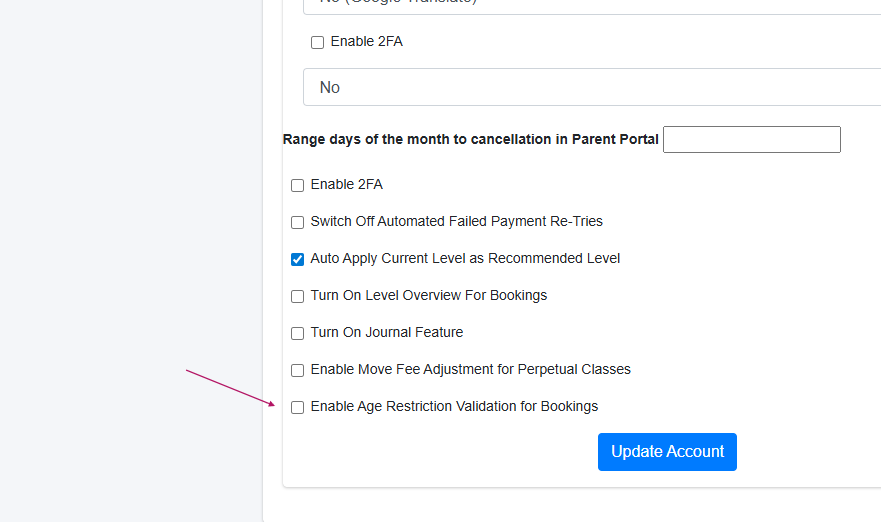
Once this is enabled, an option will appear on the add/edit class section where you can set a minimum and maximum age (in months)
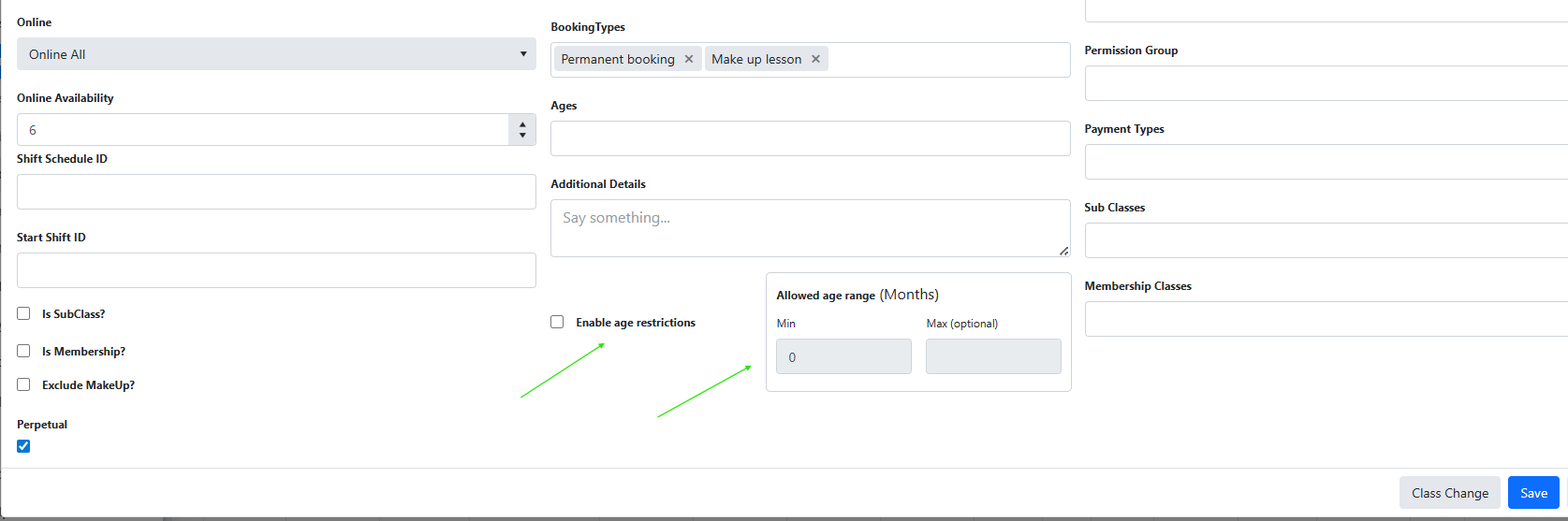
To enable age restrictions for a specific class, you need to tick the option with the class- enable age restriction and then enter a minimum and maximum age (in months)
Note- This is at the class level.
If a customer tries to enrol a student who is not within the required age range for a class, a validation will pop up and block them from completing the booking. They will be notified that the class cannot be booked as the student is outside the required age range.
For example, a class set to 36–48 months will only allow students aged 3.0 to 4.0 years at the class start date.
The age is collected as part of the enrolment form and is a required field.
The age is checked at the step where the customer has selected a class.
This feature applies to online bookings only. (Both external booking link and portal) and is designed to prevent students ending up in the wrong level.
The feature does not apply to make up bookings or online moves as these are already restricted based on the students current level.
Important notes:
If age restrictions are enabled at the account level but no minimum or maximum age is set on a class, the class will remain unrestricted
Staff can still manually enrol or move students via the admin area, even if the student falls outside the age range
This is different from the age filters also available as a class setting. These simply filter suggested classes based on a selected age filter in online bookings. Unlike the restrictions, these filters are simply a guide and do not restrict or prevent an online booking from being made.
Was this article helpful?
That’s Great!
Thank you for your feedback
Sorry! We couldn't be helpful
Thank you for your feedback
Feedback sent
We appreciate your effort and will try to fix the article