Today's update adds Worldpay refunds, a Xero sync for online payments, a new Active Bookings Report and age limits on levels. It also fixes several reporting and other issues.
New features
Worldpay refunds. You can now refund Worldpay payments from First Class. This includes partial refunds. Refunds can be actioned for Worldpay via the payment gateway report.
Sync online payments to Xero. A new Sync Online Payments option in Xero Settings sends your online payments to Xero in bulk, under your Xero payment code.
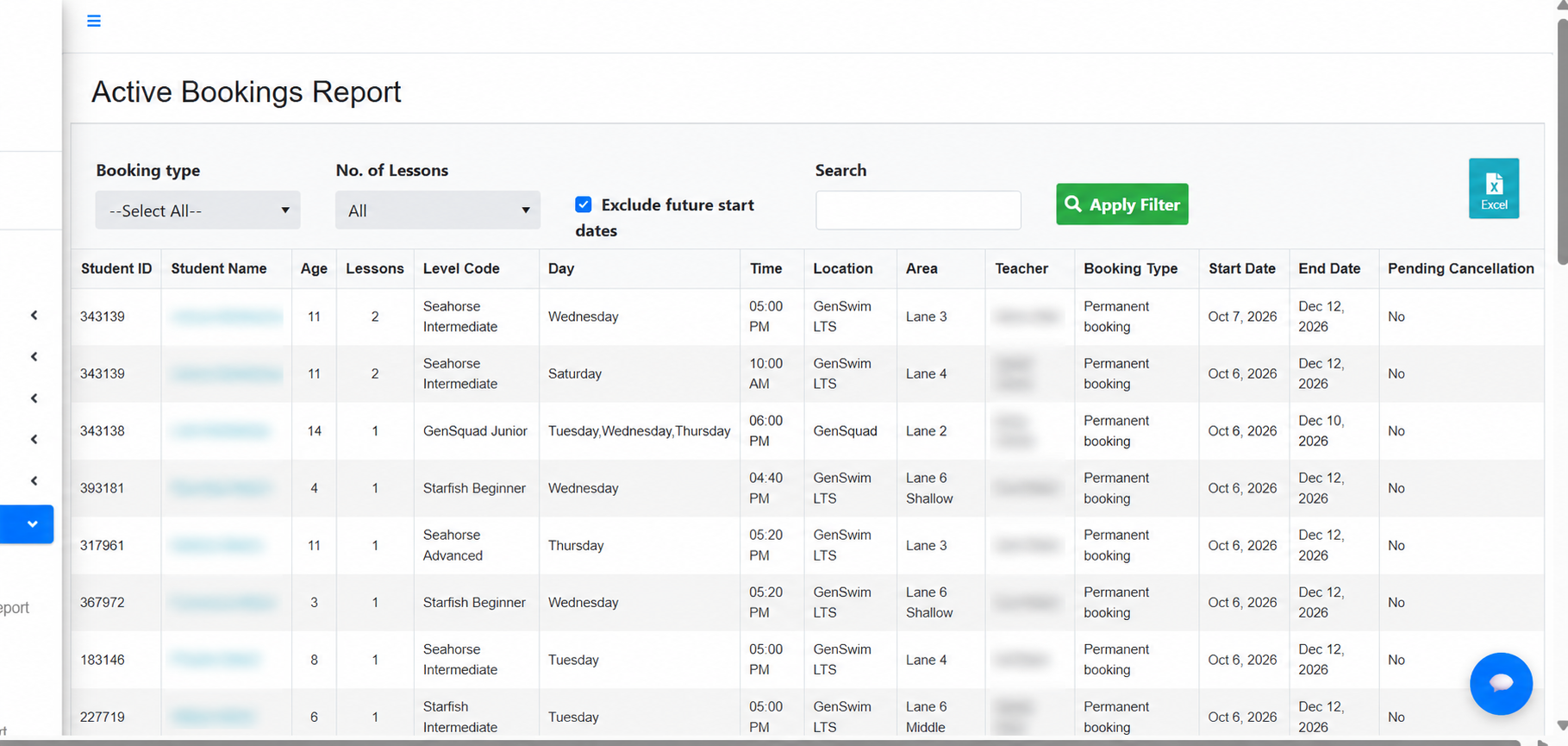
Active Bookings Report. A new report lists every active booking. This includes a filter to identify students with multiple bookings.
Minimum and maximum age on levels. Each level now has Minimum Age and Maximum Age settings.
Admin access for user types. A new Is Admin option on a user type gives those users full access to Account Settings. Ideal for giving greater permissions to select users.
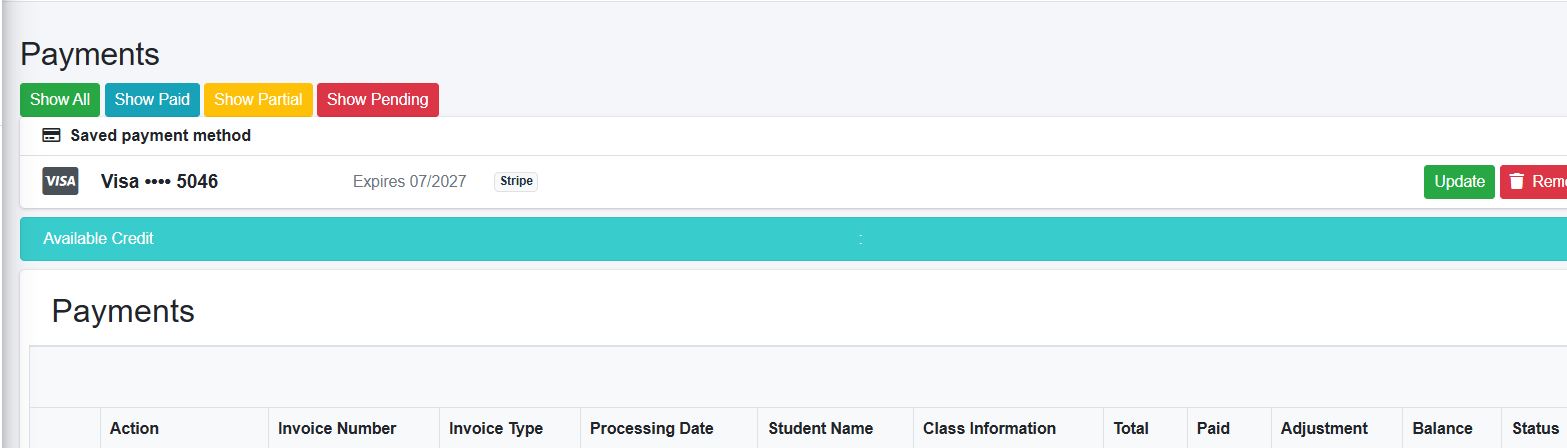
Saved card in the parent portal. Parents can now see their saved payment method (last 4 digits) on the My Payments page. This helps them understand which card they have saved.
Improvements
Direct Debit tab: a parent's profile now shows their scheduled and processed Worldpay payments.
Invoice Summary: the Action column on a parent's profile now has Pay, Edit and Delete, with the same rules as Ledger V2.
Booking Report: a new Platform column to help understand how bookings were made, for example via the app or the portal.
Occupancy Report: results load when you press Apply Filter, so you can set all your filters before the report runs.
Term Rollover: new classes copy their settings and enrollment types from the class they were rolled over from. (Additional settings like online status, online availability and additional details).
Manager user type: managers can now be assigned to a class and still see classes other than their own. This removes the need for a user to have two profiles if they have a teaching role as well as an admin role.
Student Profile: the Past tab lists the most recent classes first. On the Competencies/Skills tab, the level now defaults to the student's current class level.
Profile fields: Editing a field on the student and parent profile is much easier with a single field open and save functionality.
Fixes
Plan Managed report: the Date Paid and Date Created filters had no effect. The same fix applies to the NDIA, Service NSW Voucher and Payments reports.
PDF class sheets: printed class sheets now reflect one-off changes to a class's teacher, time or area on a given date.
Daily view: class blocks now show the enrollment count (EN: X of X) again.
Creating classes: new classes now follow the Default Online Classes setting shown when you create them.
Dashboard: the dashboard now moves to the new month at midnight in your timezone, not Australian time.
Student search: searching Active or All Students while the filters were still loading returned no results.
Password changes: an invalid new password in Account Settings (for example, one over 15 characters) showed an error page instead of a message explaining what to fix.
Action Rules: inactive action rules now stay visible in the list.
Automations: new-student webhooks (for example to Zapier, Make or SleekFlow) failed when the student's mobile number had no country code.
Was this article helpful?
That’s Great!
Thank you for your feedback
Sorry! We couldn't be helpful
Thank you for your feedback
Feedback sent
We appreciate your effort and will try to fix the article